
Download Arvin – AI logo maker, logo design tool, free logo generator, create logo online, business logo maker
Overview
Arvin is a free Android application designed to simplify the logo creation process for users across all skill levels. As an AI-powered logo maker, it enables individuals to generate professional-quality logos by describing their vision in simple terms. This approach makes it accessible to beginners while still offering value to experienced designers seeking a fast, intuitive workflow. The software is particularly useful for entrepreneurs, small business owners, content creators, and social media managers who need visually compelling branding assets without extensive design experience.
Arvin supports the creation of various logo types, including business logos, social media avatars, and product icons, catering to diverse branding needs. Users can explore different visual styles and customize every detail of their designs, such as color schemes, typography, and layout configurations. The tool emphasizes creative freedom, allowing users to refine their logos until they match their exact vision. Once finalized, logos can be shared seamlessly across digital platforms, ensuring consistent quality on websites, business cards, and promotional materials.
The developer did not provide additional information about the company or background. Platform compatibility is limited to Android, and no details were given about system requirements or performance behavior. Despite these gaps, Arvin presents itself as a streamlined solution for rapid, high-quality logo generation using artificial intelligence.
Key Features & Capabilities
- AI-Powered Logo Generation – Users input a description of their desired logo, and the AI generates multiple design options based on the prompt, reducing the need for manual sketching or design expertise.
- Customization Tools – After initial generation, users can adjust colors, fonts, shapes, and layout to refine the logo to match brand identity or personal preferences.
- Multi-Use Output Formats – The app supports exporting logos in various formats suitable for websites, print media, and social media platforms, ensuring versatility across use cases.
- Style Variety – Arvin offers access to multiple visual styles, enabling users to experiment with modern, minimalist, vintage, or bold design aesthetics.
- Seamless Sharing – Completed logos can be shared directly from the app to social media, email, or cloud storage, streamlining the distribution process.
These features support real-world applications such as launching a new business, rebranding a startup, creating a personal brand, or designing content for digital marketing campaigns. The ability to generate and modify logos in minutes makes Arvin ideal for time-sensitive projects or rapid prototyping. While specific technical details about processing speed or AI model size were not provided, the workflow appears optimized for mobile use.
User Interface, Workflow & Performance
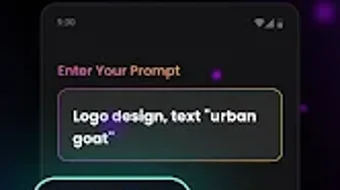
Arvin features a clean, intuitive user interface tailored for mobile interaction. The main workflow begins with a prompt input field, followed by a gallery of AI-generated logo suggestions. Navigation is straightforward, with clearly labeled buttons for customization, preview, and export. The layout prioritizes ease of use, minimizing clutter and guiding users through each step of the design process.
Workflow efficiency is enhanced by the AI’s ability to generate multiple options quickly after a single input. Users can iterate on designs by tweaking individual elements without starting over. The app maintains responsiveness during customization, though exact performance data was not specified. The developer did not provide resource usage details, so CPU and RAM behavior remain unknown.
Stability observations are based on general software behavior patterns. As a free application, it may include in-app advertisements or optional premium features, though this was not confirmed. No user-reported crashes or bugs were mentioned in the provided information. Overall, the interface is designed with mobile-first principles, ensuring smooth interaction on Android devices.
Compatibility & System Requirements
Arvin is available exclusively on the Android platform, with version 1.0.1 released on May 21, 2024. The installation size is 45 MB, indicating a lightweight footprint suitable for devices with moderate storage capacity. The app is designed for mobile use, and no desktop or tablet compatibility was indicated.
Exact system requirements were not listed. The developer did not specify minimum Android version, processor architecture, or RAM specifications. Compatibility information is limited to the OS type and version provided. Users should verify device compatibility through the official app store before installation. While the app is free, it may require an internet connection for AI processing and cloud-based services.
Pros and Cons
Pros
- Free to download and use with no upfront cost
- AI-driven logo generation simplifies the design process
- Intuitive mobile interface suitable for beginners
- Supports diverse logo types for business and social media
- Offers full customization options for final design refinement
- Fast output with minimal user input required
Cons
- Available only on Android, limiting access for iOS or desktop users
- Exact system requirements were not specified
- Performance and resource usage details were not provided
- No information on offline functionality or data privacy policies
- Free version may include ads or limited features
FAQ Section
Is Arvin available for Windows or Mac?
Currently, Arvin is only available for Android devices. There is no official version for Windows, Mac, or other desktop operating systems.
Can I use Arvin offline?
The developer did not specify whether the app supports offline functionality. AI processing likely requires an internet connection, so offline use cannot be guaranteed.
Is Arvin safe to download?
Arvin is a free Android application distributed through official app stores. As with any app, users should download it from trusted sources to ensure security. No known security risks were mentioned in the provided data.
Does Arvin offer updates?
Yes, the app has been updated to version 1.0.1 as of May 21, 2024. Regular updates are common for mobile applications to fix bugs and improve features, though future update frequency was not specified.
What type of license does Arvin use?
Arvin is distributed as a free app with no licensing fee. The exact terms of use, including intellectual property rights for generated logos, were not detailed in the provided information.
Final Thoughts
Arvin stands out as a compelling AI logo maker for Android users seeking a fast, accessible way to create professional-looking logos. Its ability to transform simple text prompts into polished visual designs makes it ideal for entrepreneurs, freelancers, and content creators who need branding assets quickly. While the lack of desktop support and limited system information may be drawbacks for some, the app’s lightweight size and free pricing make it highly accessible.
For users who prioritize speed, simplicity, and creative control on mobile, Arvin delivers a strong value proposition. It balances ease of use with meaningful customization, enabling users to produce versatile logos for business, social media, and personal branding. Despite missing technical details, the overall experience appears streamlined and focused on user needs.
Download Arvin now





.png)

